Routers are an integral part of most any modern internetwork. The cost of the hardware, time, and resources to keep the network online makes this equipment expensive. We will explore various methods of access control on Cisco routers that can protect your network from costly downtime. Some or all of these guidelines can be applied in a single-office facility or the largest enterprise.
Vonage tops my list because it delivers the goods. The price is not the lowest, but not the highest as well. Call quality is great, as well as the service and all it entails, including the features and customer service. The adapter is provided for around $40, refundable on returning it. 14-day trial.
The 10 Cisco IOS Router file management commands you must know
Just like a Windows or Linux operating system, the Cisco IOS has its own list of commands to manipulate files, very similar to DOS/Windows commands. These files could be your IOS router operating system, configuration file, or other type of IOS file. Knowing these file commands is a critical requirement for any Cisco admin.
Let’s look at 10 Cisco IOS file management commands you must know.
Routers are basically used to connect different networks by exchanging the routing information with each other. Router is a network layer device maintains a database called IP routing table by learning the ip addresses of directly connected networks by default. After enabling the IP Routing process, the learned networks can also be seen in the IP routing table by exchanging the IP routing information.
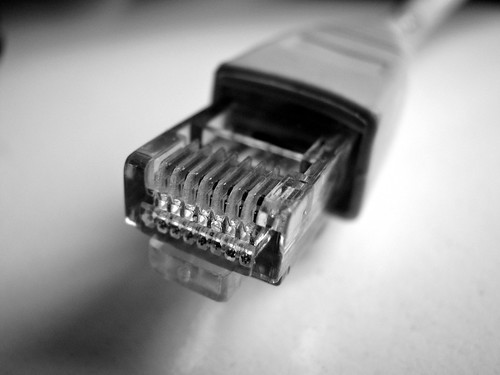
RJ stands for Registered Jacks and RJ is standard connector used for telephone applications and as network cables. Sometimes it is also used as serial connections.
RJ-45 is a registered jack which specifies the physical as well as the wiring pattern. There are many other jacks other than RJ-45 and some of them are:
To share data and network resources among the computers in a network is known as networking. Computer networking is a core part of the whole information technology field because without it computers can never communication with each other locally and remotely. Just image that if you work in a bank or in a corporate office and all the computers in your office are without networking. How difficult it would be for you and for the other employees of your office to communications, shares data such as word documents, financial reports, client’s feedback, graphical reports and other important work with the other employees.