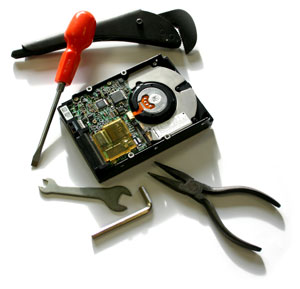
Measures can be taken that lessen the blow when computer failure occurs. Understanding and recognizing warning signals can really make a difference for successful data recovery.
Caution should always be used when dealing with hard drive failure or any other type of computer problem. Reacting with panic will usually make the problem worse.
How To Backup your windows registry, boot files and system files using ntbackup.exe
What is Data Backup?
Data backup involves the storing of files from your computer in another location. In this way, if there is ever any loss of data on your primary machine, you still have your data in backup in order to restore those files. In the world of computers loss of data can be devastating, and while there are possibilities for recovery of data after a disaster it is far easier to restore your files from backup than to attempt to find your data on a crashed hard drive.
How to restore the backup data using Samsung Auto Backup?
The restoration function of the Samsung Auto Backup is useful when original data is
damaged/lost due to system malfunction or reinstallation of OS or when copying the
same data to a new system.
Perform the restoration in the following order.
1. Running the AutoBackup Restore Setting Wizard (Download Now)
One of the most important points for any computer user to remember is to always back up your data. As much as personal computing has advanced over the past 20 years, hard drives still fail. Hard Drives are an amazing piece of mechanical engineering, as then spin (sometimes continuously) at around 120 times per second (7200 rpm). These spinning platters are spinning at such high speeds that a small interference whilst in usage can damage the disk in a certain area. There are now fail safe mechanisms in place to prevent critical failures when there is a small amount of physical damage done to the drive, but accidents do happen.
Samsung hard disk drive (HDD) products themselves are covered by a limited warranty that is automatically voided if your product is disassembled, altered or tampered with.
Below is a list of data recovery service providers that can open your Samsung HDD product and (if connected through the link below) provide a seal or proof of data recovery that will not void your Samsung HDD limited warranty.
How to run a System State backup in Windows Server 2008 Server Core
I’ve been playing around with Windows Server 2008 Server Core and it’s definitely very different than working with the Standard version of Windows Server 2008. Server Core is a stripped down version of Windows Server 2008 in which only specific server roles are installed in order to reduce the management and maintenance needs significantly.
For nearly all computer or laptop lovers, losing data will be a very disturbing experience. If you employ your computer or laptop for a company or else for different vital issues, it will be terribly stressful as well as very shocking to lose the whole thing you have labored several weeks, and perhaps even years to build.
Whenever your hard drive fail or you lose your information, you’ll would like to turn to data recovery to correctly repair your data. Data recovery is one thing nearly all laptop people are acquainted along with, since a majority people have had to go to data recovery at several situation in time. Even though hard drives are becoming better and better, they’re still mechanised and can continuously come across troubles.